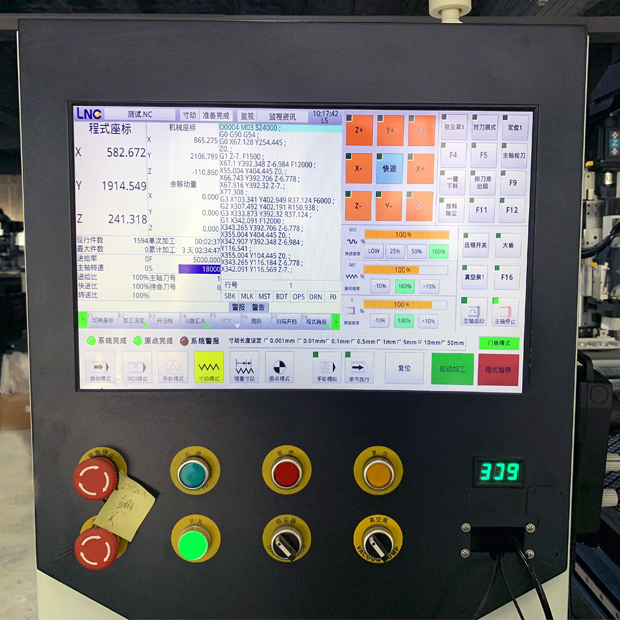
With the growing adoption of CNC technology, wood routers have become indispensable in furniture manufacturing, signage, and mold processing. However, many new users encounter problems caused by improper system parameter settings, leading to reduced machining accuracy and shorter machine lifespan.
To address these issues, Our experienced CNC woodworking engraving machine after-sales engineer shared a detailed Setup and Debugging Guide, helping users start their machines safely and efficiently.

1. Safety Comes First
The engineer emphasizes that comprehensive electrical and mechanical checks must be performed before configuring any parameters:
* Ensure power cables are firmly connected, and both the emergency stop button and limit switches work correctly.
* Verify proper grounding to reduce static discharge and electromagnetic interference.
* Make sure the gantry, lead screws, and spindle are in an idle (no-load) state before powering on.
2. Motor Drives and Basic Settings
For machines equipped with stepper motors, it’s crucial to set the current and micro-stepping according to the motor nameplate and driver specifications:
* Common micro-step settings are 1/8 or 1/16, balancing smooth operation and torque.
* Recommended current is 70%–100% of the rated motor current to avoid overheating.
* For servo-driven machines, start with the default parameters recommended by the servo driver manufacturer.
> The engineer reminds users to cut power before adjusting current or micro-step settings to ensure safety.
3. Controller Core Parameters: Steps per mm and Acceleration
Accurate machining dimensions depend on the correct configuration of Steps per mm for each axis.
The general formula is:
> Steps per mm = (Motor steps per revolution × Micro-step) ÷ (Lead screw pitch or belt travel per revolution)
Example:
For a 200-step/rev motor, micro-step = 16, and a lead screw pitch of 5 mm:
200 × 16 ÷ 5 = 640 steps/mm
After setting the steps per mm, adjust the maximum feedrate and acceleration gradually.
Recommended initial values:
* X/Y axis feedrate: 3,000–6,000 mm/min
* Z axis feedrate: 500–1,500 mm/min
* Acceleration: 200–500 mm/s²
> “Start conservatively and increase gradually — that’s the key to stable machine tuning,” the engineer emphasized.
4. Calibration for Higher Machining Accuracy
To ensure the actual cutting dimensions match the design, perform a calibration test:
1. Command the machine to move 100 mm.
2. Measure the actual travel distance with a precision ruler.
3. Apply the correction formula:
New Steps = Old Steps × (Commanded Distance ÷ Measured Distance)
4. Update the controller settings and repeat the test until the error is within ±0.05 mm.
This step is particularly crucial for furniture joinery and fine engraving where dimensional accuracy is critical.
5. Common Issues and Troubleshooting
The After-sales engineer also highlighted several frequent problems during setup:
* Missed steps or inaccurate positioning: Check motor current settings and belt tension.
* Unstable homing: Verify limit switch wiring and reduce homing speed.
* Incorrect spindle rotation: Test at low RPM and adjust wiring or software settings if needed.
* Probe measurement errors: Calibrate multiple times and use the averaged offset to ensure accurate cutting depth.
6. Expert Advice and Conclusion
As automation in woodworking continues to advance, mastering basic system configuration and calibration can significantly reduce startup downtime and mechanical failures.
The After-sales engineer that suppliers provide customers with complete operation manuals and training, and that users back up their controller settings for future maintenance or upgrades.
> “Proper system setup isn’t just about safety — it’s the foundation for efficient production.”
Closing Note
This article is based on practical experience from a seasoned after-sales engineer and aims to provide technical guidance for new CNC wood router users. For more industry news and technical insights, stay tuned to our official website.