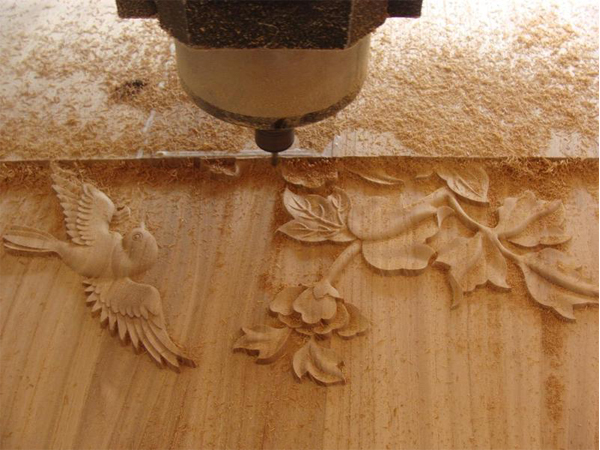
Successful 3D relief carving on a CNC wood router depends on two key factors: sharp tool selection and proper tool path configuration with variable depth engraving. The most common challenge is handling "islands" — unprocessed areas between pattern lines — which are solved by increasing the overlap rate or using continuous engraving mode.
What Is 3D Relief Carving?
3D relief carving is a CNC machining technique that creates sculptural designs with varying depths on wood surfaces. The result is a dimensional, artistic effect widely used in decorative woodworking, furniture ornamentation, and signage production.
Tool Path Design Best Practices
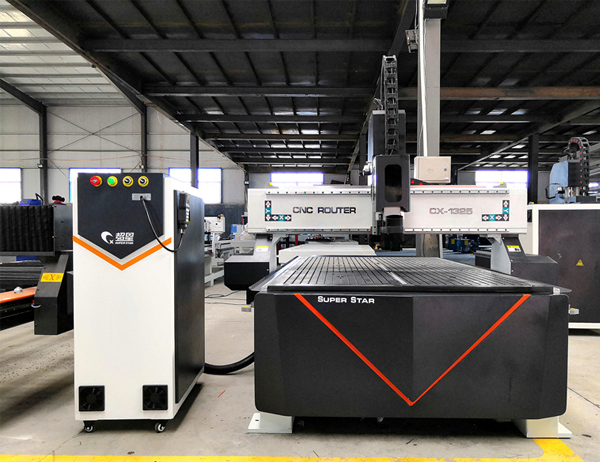
Woodworking Machine Sample
Use variable depth engraving programs — let the software automatically calculate depth transitions
Set appropriate overlap rate — too low leaves unprocessed "islands"; too high wastes time
Solving the "Island" Problem
3D Relief Carving on CNC Wood Routers: Tool Path Tips
When carving complex patterns, you may encounter "islands" — small unprocessed areas between pattern lines where the tool cannot reach. There are two software solutions:
Method
How It Works
Best For
Island Processing (bottom milling)
The software detects unprocessed areas and performs additional flat-bottom clearing passes
Intricate patterns with many small details
Continuous Engraving
The milled flat area becomes the new starting plane, and 3D carving continues from this lowered surface
Larger designs with moderate depth variation
Optimizing Pick-Up Distance
Scenario
Recommended Pick-Up Distance
Standard relief carving
0.1mm (default)
Large objects with thick tools
0.15–0.2mm (increase to reduce unnecessary retracts)
Fine detail work
0.05–0.1mm (decrease for precision)
Pro Tip: If the pick-up distance is set too small, the tool will make excessive lift-and-drop motions, which slows down processing and can leave visible marks on the finished surface.