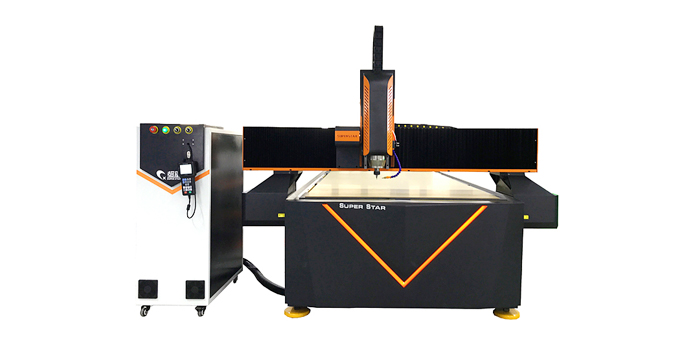
Mini / Hobby CNC Router Specs & Features: A Deep Dive Guide
You are here:Home » News » Guide » Mini / Hobby CNC Router Specs & Features: A Deep Dive Guide
Mini / Hobby CNC Router Specs & Features: A Deep Dive Guide
Author: Kevin Publish Time: 2026-03-23 Origin: Superstar CNC
In the world of digital fabrication, bigger isn't always better. For garage workshops, small businesses, and educational labs, the Mini / Hobby CNC Router is the ultimate tool.
But don't let the "Hobby" label mislead you. These machines are not toys; they are precision instruments capable of producing professional-grade parts. The key lies in understanding their technical specifications.
Whether you are looking to carve intricate jewelry or prototype aluminum parts, this guide breaks down the critical specs and functions of our compact powerhouses.
Technical Specifications: What Do The Numbers Mean?
When browsing a Mini / Hobby CNC Router, you will encounter a spec sheet full of data. Here is what matters most for performance.
1. Working Area (XYZ Travel)
This defines the maximum size of the material you can process.
Common Sizes: 600x900mm (6090), 600x400mm (6040), or 1200x1200mm (1212).
Z-Axis Clearance: Usually between 100mm to 150mm. This determines how thick your material can be.
Insight: A 6090 model is the "sweet spot" for most users—large enough for cabinet doors and signs, but small enough to fit through a standard doorway.
2. Spindle Power & Cooling
The spindle is the heart of the machine.
Power: Typically ranges from 1.5kW to 3.0kW.
1.5kW: Great for wood, plastic, and foam.
2.2kW - 3.0kW: Required if you plan to cut aluminum or brass regularly.
Cooling: Water-cooled spindles are quieter and sustain long run times better than air-cooled ones, which is crucial for detailed 3D carving that takes hours.
3. Transmission System
How does the machine move?
Ball Screw: Most high-quality Mini CNCs use Ball Screws on all axes (X, Y, Z).
Why it matters: Unlike the rack-and-pinion system used on giant machines for speed, ball screws offer superior precision and torque. This allows the Mini CNC to achieve tolerances of ±0.01mm, making it ideal for PCB making and fine engraving.
Feature
Standard Spec
Benefit
Control System
Mach3 / DSP Handle
Reliable, industry-standard control.
Table Surface
T-Slot (PVC/Aluminum)
Easy clamping for small, irregular parts.
Drive Motors
Stepper / Hybrid Servo
Cost-effective precision.
Functional Analysis: What Can It Actually Do?
Understanding the specs is one thing; applying them is another. Here is how the Mini / Hobby CNC Router functions in real-world scenarios.
1. Precision Engraving (2D & 3D)
Thanks to the ball screw transmission, these machines excel at detail.
Soft Metals: With a 2.2kW spindle and proper lubrication (mist cooling), it can mill aluminum plates, copper gaskets, and brass tags.
Limitation: It is not designed for hard steel or stainless steel.
3. Rapid Prototyping
For engineers and designers, a Mini CNC is a desktop factory.
Function: Instead of 3D printing (which is slow and limited to plastic), you can machine a functional prototype out of the actual end-use material (e.g., ABS block or Aluminum) in minutes.
Conclusion: Small Footprint, Huge Potential
The Mini / Hobby CNC Router bridges the gap between manual tools and industrial machining centers. It offers the precision of a professional machine with a footprint that fits in your garage.
If your work demands high accuracy, versatility across materials, and a compact form factor, this is the machine for you.
A: Yes, absolutely. However, you need to use correct feeds and speeds, and we highly recommend a mist cooling sprayer to keep the bit cool and clear chips. A 2.2kW spindle is preferred for this.
Q2: What software do I need?
A: You need CAD/CAM software to design and generate code (like Fusion 360, VCarve, or ArtCAM) and Control software to run the machine (like Mach3 or Mach4).
Q3: Is it difficult to assemble?
A: Most of our Mini CNC routers come fully assembled or require very minimal assembly (attaching the gantry). You can be up and running in less than an hour.
Q4: What is the difference between a stepper and a servo motor?
A: Steppers are standard and cost-effective. Servos (or hybrid servos) are faster and have "closed-loop" feedback, meaning they never lose steps, but they are more expensive. For most hobbyists, steppers are sufficient.