Investing in a CNC router is a significant decision for any woodworking business. However, to maximize your investment and ensure consistent performance, proper maintenance is essential. Regular maintenance not only extends the lifespan of your CNC router but also helps prevent costly downtime and repairs.
In this article, we will cover essential maintenance tips for your CNC router, including daily, weekly, and monthly tasks that you should perform to keep your machine in top condition. By following these guidelines, you can ensure that your CNC router continues to deliver the precision and reliability you need for your woodworking projects.
You can also explore our full range of Wood CNC Router products to find the right machine for your needs.
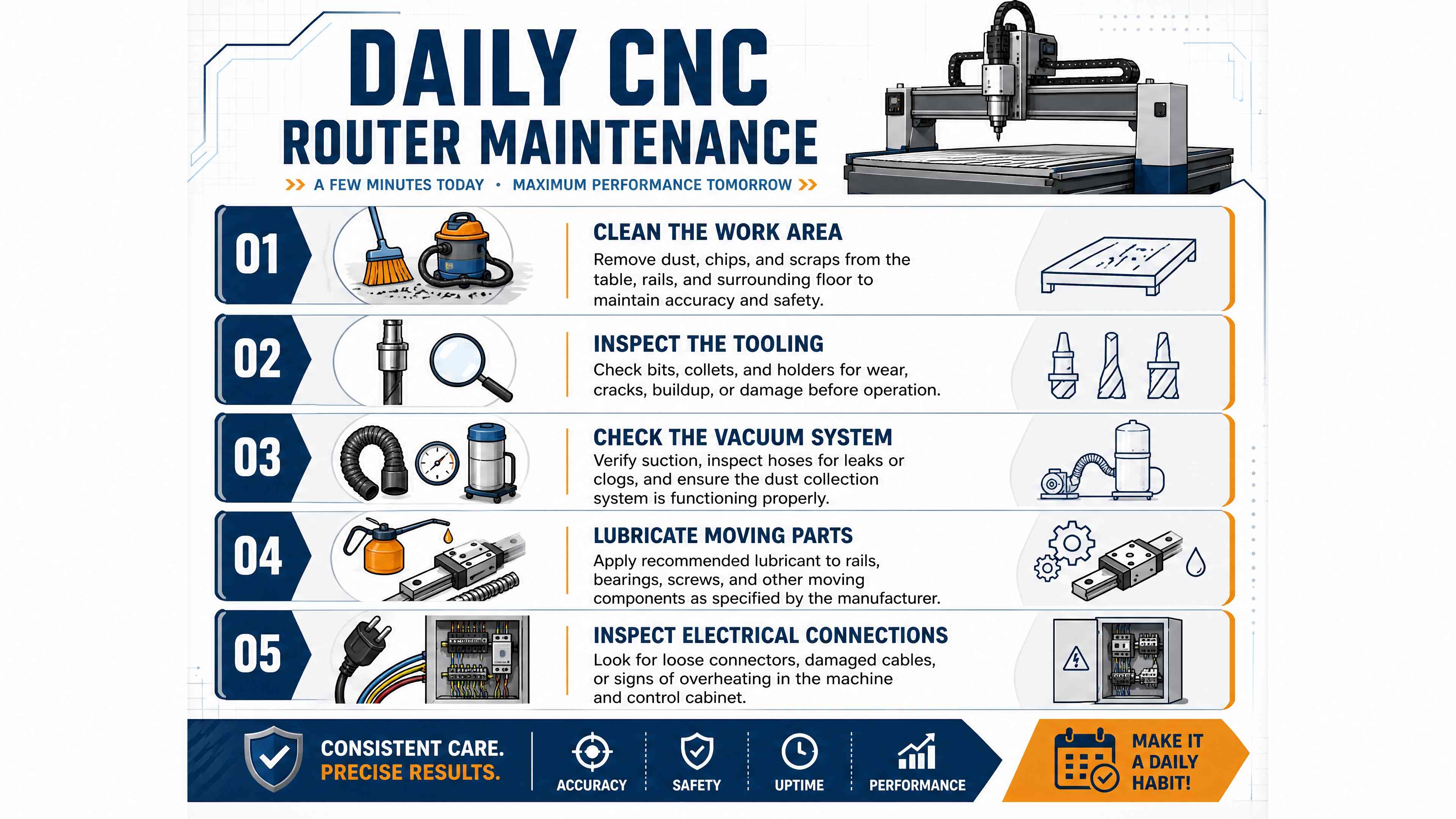
1. Daily Maintenance Tasks
Performing daily maintenance tasks is crucial for keeping your CNC router running smoothly. Here are some essential tasks to complete each day:
1.1. Clean the Work Area
Remove dust, debris, and wood shavings from the machine and surrounding area.
Ensure that the worktable is clean and free of any obstructions.
1.2. Inspect the Tooling
Check the condition of the cutting tools and replace any dull or damaged bits.
Ensure that tools are securely mounted and properly aligned.
1.3. Check the Vacuum System
If your CNC router uses a vacuum table, inspect the vacuum system for leaks.
Ensure that the vacuum pump is functioning correctly and that the table surface is clean.
1.4. Lubricate Moving Parts
Apply lubricant to the linear guides, lead screws, and other moving parts as needed.
Follow the manufacturer’s recommendations for the type of lubricant to use.
1.5. Inspect Electrical Connections
Check for loose or damaged electrical connections and cables.
Ensure that all safety switches and emergency stop buttons are functioning.
By completing these daily tasks, you can maintain optimal performance and reduce wear on your CNC router.
2. Weekly Maintenance Tasks
In addition to daily maintenance, performing weekly tasks is essential for keeping your CNC router in top shape. Here are some recommended weekly maintenance activities:
2.1. Clean the Machine Components
Remove any accumulated dust and debris from the machine’s exterior and interior components.
Clean the spindle and tool holders to prevent resin buildup.
2.2. Inspect the Belts and Chains
Check the condition of the drive belts and chains for wear or damage.
Adjust the tension as needed and replace any worn components.
2.3. Check the Fluid Levels
Inspect the coolant and lubrication fluid levels, topping them off as necessary.
Change the coolant regularly to prevent contamination.
2.4. Test the Emergency Stop
Conduct a test of the emergency stop function to ensure it operates correctly.
Make sure safety features are in place and functioning.
2.5. Review Performance Logs
Keep records of machine performance, including any issues or downtime.
Review logs to identify trends or recurring problems that may need attention.
By incorporating these weekly maintenance tasks, you can enhance the reliability and efficiency of your CNC router.
3. Monthly Maintenance Tasks
Performing more in-depth maintenance tasks on a monthly basis is crucial for long-term performance. Here are some essential monthly maintenance activities:
3.1. Inspect the Machine Frame
Check the machine frame for any signs of wear, damage, or misalignment.
Ensure that all bolts and screws are tightened to the manufacturer’s specifications.
3.2. Calibrate the Machine
Perform a calibration check to ensure that the machine is operating within the specified tolerances.
Adjust settings as needed based on the calibration results.
3.3. Clean the Cooling System
If your CNC router has a cooling system, clean the filters and check for blockages.
Ensure that the cooling system is functioning properly to prevent overheating.
3.4. Update Software and Firmware
Check for any available software or firmware updates for your CNC router.
Keeping your machine’s software up to date can improve performance and add new features.
3.5. Conduct a Comprehensive Inspection
Perform a thorough inspection of all components, including the control system, motors, and wiring.
Identify any potential issues before they lead to more significant problems.
By performing these monthly maintenance tasks, you can ensure that your CNC router remains in optimal condition for years to come.
4. Troubleshooting Common Issues
Even with regular maintenance, issues can still arise. Here are some common problems and troubleshooting tips:
4.1. Poor Cutting Quality
Possible Causes: Dull tooling, incorrect feed rates, or improper alignment.
Possible Causes: Worn bearings, loose components, or misaligned parts.
Solution: Inspect and tighten loose components, lubricate moving parts, and replace worn bearings.
4.3. Machine Not Responding
Possible Causes: Electrical issues, software glitches, or connection problems.
Solution: Check electrical connections, restart the machine, and update software if necessary.
4.4. Vacuum Not Holding
Possible Causes: Leaks in the vacuum system or dirty table surface.
Solution: Inspect the vacuum system for leaks, clean the table surface, and ensure proper sealing.
If you encounter persistent issues, it may be helpful to consult your CNC router’s manual or contact a professional for assistance.
5. Conclusion
Proper maintenance is essential for keeping your CNC router in top condition and ensuring reliable performance. By following daily, weekly, and monthly maintenance tasks, you can extend the lifespan of your machine, reduce downtime, and improve the quality of your woodworking projects.
Whether you have a 3-axis CNC router or a 4-axis CNC router, taking the time to maintain your equipment will pay off in the long run. For more information on our range of CNC routers and support services, visit our Wood CNC Router product category or contact us for personalized assistance.
CTA
Need help maintaining your CNC router?
Contact our support team for expert advice on maintenance practices and troubleshooting tips to keep your machine running smoothly.